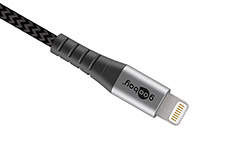
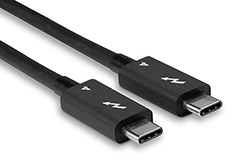
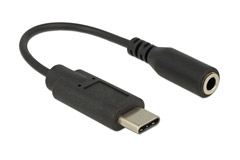
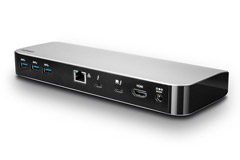
Universal Serial Bus, as it is technically called - is a connection protocol that is used primarily for connecting IT equipment to computers, such as printers, external hard drives, scanners, cameras, etc. It is also some of the most widely used cables for charging, as well as connecting various smart devices, such as smartphones and tablets.
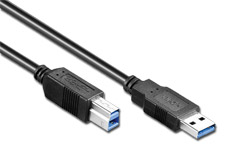
USB cables are also used in a Hi-Fi context. You will most often see a USB cable with USB-A on one end, and USB-B on the opposite, between a computer and a DAC, for digital transfer of sound, in the purest form through a cable without any loss.
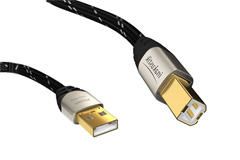
There are dedicated Hi-Fi USB cables that are specially made for the purpose, which can be found in our range. These are usually always in the 2.0 format, which is the standard that has been used for many years, and is still very widespread - although it does not provide the fastest electronic connection, this is the cable you need to use between two devices when we are talking about computer and DAC.
A Hi-Fi oriented USB cable usually has a better quality connector, compared to normal USB cables. In addition, a Hi-Fi USB cable is also often shielded better, which physically makes them somewhat thicker, and more pleasant to use, while they can often also have a special color to further increase the quality.
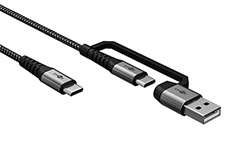
We have USB cables in many color variants and every category for every need. The most popular cables are Micro-USB, as well as USB-C cables for phones, tablets and the like. While USB A to USB B cables, as mentioned, are the most widespread and popular type for normal Hi-Fi use.
USB connectors come in many different varieties, the most common of which are the USB A, B and C connectors. In addition, there are Mini-USB and Micro-USB cables, which are often used in portable equipment that does not have physical space for the "large" USB connectors.
However, the USB-C connector is taking over all of them - and this is not without reason. USB-C is the newest standard within USB connectors, and is quietly taking the throne as the most used connector.
There are several reasons for this. Compared to other USB cables and connectors, USB-C can be turned both ways and still work, whereas all other USB connectors and cables must be turned correctly and only fit in one way. In addition, USB-C also allows you to move a lot of data - quickly. The speed of a USB-C cable is usually always within the USB 3.0 standard or above, and they are available in many different lengths.
Below, we will briefly review the most common USB connectors used on USB cables used in 2022:
The USB-A connector is usually found in computers, USB hubs, amplifiers, etc. The USB-B connector is most often found in external equipment such as printers, DACs and external drives that need to be connected to the computer. Therefore, USB cables typically come as what is called a USB A-B cable - that is, a cable with a USB-A connector on one end and a USB-B on the other. These are available from half a meter up to cables of 5 meters or more.
The USB Mini-B and, especially the USB Micro-B connectors are something most people can recognize. Micro and Mini USB-B have been used - and are still used - in connection with charging and data transfer, of an incredible number of smaller devices. Smartphones, external hard drives and tablets in particular, have been a big reason for the widespread use of USB Mini-B and USB Micro-B. However, these types of connectors are gradually being phased out in 2022, and it will probably not be long before these have been replaced by USB-C connectors instead.
Of similar Mini-USB connectors, in the smaller size, come USB Mini-A, USB Mini-AB, USB Micro-A and USB Micro-AB. These vary in shape and slightly in size, but can, in essence, do the same thing - They are just not quite as widely used as the USB Mini-B and USB Micro-B connectors.
USB-C is, as mentioned, the latest addition to the family and it seems that it is here to stay.
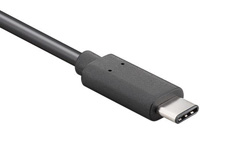
The USB-C connector is physically smaller than the classic USB-A connector, but it can handle much more than its predecessor. It is a connector that is already very widespread and can be found in everything from computers, smartphones, tablets, cameras, external hard drives, headphones - the list is long, growing and almost endless.The USB-C connector is also the only connector that, so far, supports the new USB 4.0 standard, and of course everything below that, such as USB 2.0, USB 3.0 and so on. If you have a recent computer, it most likely also has one or more USB-C connectors, in USB 3.0 format or faster.
When talking about USB, you can't avoid talking about data transfer and this is where the different USB standards can help us. We have made a small overview here, which can make it a little easier to understand what the different USB standards can do and what they are called.
In the last few years, this list and overview has become somewhat more cluttered.
If your cable is to do more than just charge and transfer data, you need a special USB cable. For example, you may want your USB cable to be able to transfer images and audio. Here, you need to make sure that the cable can handle this before you buy.
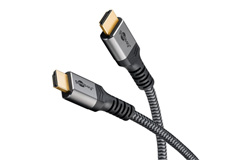
One of the most widely used connectors for images and audio is HDMI, and for that you can get USB to HDMI adapters - the most common are with USB-C connectors, as this standard connector can do far more than, for example, USB A and Micro USB, which provides many extra options.
The USB-C connector can handle HDMI, DVI and Displayport directly and therefore does not require a special converter or a specific protocol, as with previous generations of USB.
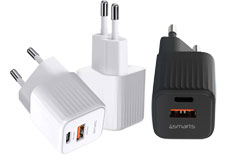
With the rise of USB C cables, this has also brought other features such as Power Delivery to the market. This is a feature that a USB cable can have, which allows it to charge significantly faster and more powerfully than a traditional USB cable with A or B connectors, for example.
Another similar feature is Quick Charge, which is essentially the same as Power Delivery, however, a USB cable with Quick Charge cannot handle the same charging speeds and amounts of power as a USB cable with Power Delivery can.



 HIFI STEREO